
Last checked August 24, 2026. Prices can change by currency, tax location, and promotion. This comparison separates introductory prices from renewal prices wherever the vendor publishes both.
The best WordPress SEO plugin is the one that fits your publishing workflow without duplicating another plugin’s output. For most cost-conscious site owners, Rank Math Free is the best overall choice. Yoast SEO is easier to standardize across a writing team, SEOPress offers strong agency value, AIOSEO packages a broad guided toolkit, and The SEO Framework is the quietest option for users who prefer automation over scores and prompts.
You normally need one primary SEO plugin, not several. Running two full SEO suites can create duplicate canonicals, competing XML sitemaps, repeated schema, and conflicting robots directives. This guide compares five genuine primary SEO plugins rather than padding the list with analytics, caching, or schema-only tools.
Quick Verdict
- Best overall free option: Rank Math. It puts schema, redirects, 404 monitoring, sitemaps, and modular controls into a broad free package.
- Best for writers and editorial teams: Yoast SEO. Its real-time content and readability guidance is mature and easy to make part of an editorial checklist.
- Best for agencies and privacy-conscious teams: SEOPress. Its white-label options and clearly published multi-site prices make budgeting straightforward.
- Best broad paid toolkit for small businesses: AIOSEO. It combines a guided interface with business-oriented modules, but renewal pricing needs close attention.
- Best lightweight, low-nag workflow: The SEO Framework. It favors sensible automation and a restrained interface over gamified optimization.
Rankplot’s default recommendation: start with Rank Math Free if you want the broadest feature coverage without an immediate subscription. Choose a different plugin only when its workflow advantage matters more than the number of included features.
Best WordPress SEO Plugins at a Glance
| Rank | Plugin | Best for | Free version | Entry paid price checked | Main limitation |
|---|---|---|---|---|---|
| 1 | Rank Math | Most users wanting broad free features | Yes | €7.99/month introductory, billed annually; €8.99/month renewal | More modules and prompts make setup busier |
| 2 | Yoast SEO | Writers, beginners, editorial teams | Yes | $118.80/year, excluding VAT | Premium is licensed for one site |
| 3 | SEOPress | Agencies, privacy, white-label use | Yes | $49/year for one site, excluding VAT | Smaller ecosystem than the two leaders |
| 4 | AIOSEO | Small businesses wanting a guided toolkit | Yes | $49.50 first year; $99/year renewal for Basic | Material price increase at renewal |
| 5 | The SEO Framework | Developers and minimalist workflows | Yes | $7/month paid yearly ($84/year) for two sites | Less guided content analysis |
The prices above are a snapshot, not a promise. Rank Math’s page displayed euros for this check and explicitly separated its introductory and renewal amounts. AIOSEO displayed a 50% first-year promotion and said renewals occur at full price. Always verify the final checkout in your own currency.
How Rankplot Selected These Plugins
We limited the shortlist to plugins capable of handling the primary technical SEO layer: titles and descriptions, canonical URLs, robots controls, XML sitemaps, and structured data. We then checked official vendor pages, the WordPress.org plugin repository, licensing terms, migration guidance, and the downloadable package footprint.
- Official repository data: version, active installations, update date, and declared WordPress compatibility.
- Free feature coverage: the functions available before buying a subscription.
- Paid pricing: introductory price, renewal price, taxes, and site limits.
- Operational fit: editorial workflow, agency licensing, privacy posture, migrations, and interface complexity.
- Evidence discipline: no vendor speed claim is presented as a Rankplot benchmark.
This is a documentation and package audit, not a controlled runtime benchmark. The downloadable files were inspected under the same method, but package size does not prove frontend speed, PHP efficiency, editor responsiveness, or database impact. See how Rankplot tests tools for the evidence standard used across the site.
1. Rank Math: Best Overall Free WordPress SEO Plugin
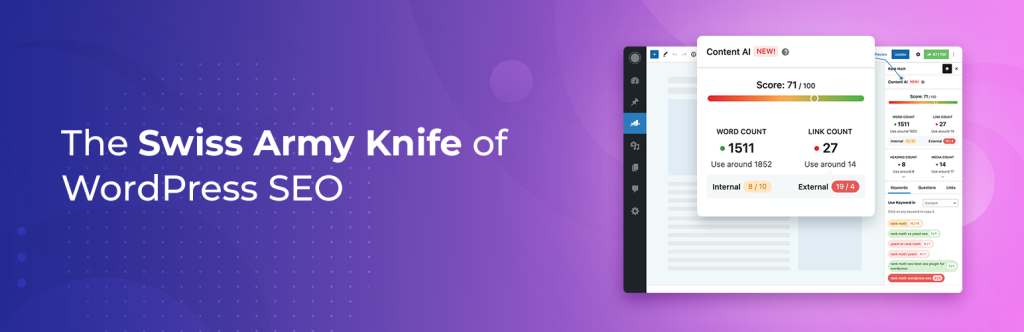
Rank Math takes first place because its free version covers more of the day-to-day technical SEO workload than most competitors. A single modular plugin can manage metadata, XML sitemaps, schema settings, redirects, 404 monitoring, image SEO options, and integrations with popular page builders. You can disable modules you do not use.
The advantage is breadth, not magic. Rank Math’s score and suggestions are checks against its rules; they are not evidence that a page will rank. The interface also exposes many modules, notices, and optional connections. That flexibility is useful for a technical owner but can be more configuration than a small editorial team wants.
Who should choose Rank Math?
- Bloggers and small businesses that want redirects and broad schema controls without immediately paying.
- Owners of multiple personal websites who may benefit from the PRO personal-site license.
- Elementor, Divi, and block-editor users who want SEO controls inside their existing editing workflow.
- Technical users comfortable reviewing and disabling modules they do not need.
Who should avoid it?
Choose a calmer alternative if your team is likely to treat every score as a publishing requirement or if you want the smallest possible set of decisions. Client-site licensing also requires Business or Agency rather than the personal PRO plan.
On August 24, 2026, Rank Math’s official pricing page displayed PRO at €7.99 per month billed annually, excluding VAT, with renewal at €8.99 per month. It covers unlimited personal websites but excludes client websites. Verify the localized amount on the official Rank Math pricing page. For deeper configuration and trade-offs, read our Rank Math review.
2. Yoast SEO: Best for Writers and Editorial Teams
Yoast SEO remains the easiest recommendation for an organization that wants a familiar writing workflow. Its SEO and readability analysis gives contributors a consistent set of checks while its technical defaults handle canonicals, sitemaps, and schema without requiring every author to understand the implementation.
The free plugin is enough for basic on-page SEO and technical foundations. Premium adds features such as redirect management, internal-link suggestions, multiple or related keyphrases, AI-assisted metadata, support, and training. Yoast’s strength is not that every traffic light must turn green. It is that editors can use the same vocabulary and review process across many contributors.
Who should choose Yoast?
- Beginners who value clear explanations beside each setting.
- Editorial teams that want repeatable content and readability checks.
- Organizations willing to pay for support and a mature training ecosystem.
- Sites where a restrained technical setup matters more than having every feature in the free tier.
Who should avoid it?
The one-site Premium price becomes expensive across a portfolio, and users who mainly need free redirects or advanced schema may get more value from Rank Math. Also, readability guidance should inform an editor—not flatten every writer into the same style.
Yoast lists Premium at $118.80 per year excluding VAT for one website. Check the current scope on the official Yoast SEO Premium page. If these are your two finalists, our focused Rank Math vs Yoast comparison covers the decision in more detail.
3. SEOPress: Best for Agencies and Privacy-Conscious Teams
SEOPress is the strongest licensing story in this comparison for agencies that want predictable pricing and white-label control. The vendor publishes separate one-site, five-site, and unlimited-site plans and states that renewal remains at the same price when automatic renewal stays enabled, except for special promotions.
The free version covers core metadata, sitemaps, canonicals, content analysis, and integrations. PRO adds features including automatic and manual schemas, redirects and 404 monitoring, local SEO, WooCommerce SEO, news and video sitemaps, analytics reporting, and no-code white labeling.
Who should choose SEOPress?
- Freelancers and agencies that need a white-label interface.
- Teams that want explicit one-site, five-site, or unlimited-site budgeting.
- Privacy-conscious operators attracted to the plugin’s no-advertising and no-anonymous-data positioning.
- Users who want an all-in-one suite without the market leaders’ interface style.
Who should avoid it?
SEOPress has a smaller install base and ecosystem than Yoast or Rank Math. Teams that rely heavily on community tutorials, third-party integrations, or client familiarity should confirm their exact workflow before migrating.
The checked prices were $49 per year for one site, $59 for five sites, and $149 for unlimited sites, excluding VAT. The official SEOPress comparison says these plans renew at the same price.
4. AIOSEO: Best Broad Paid Toolkit for Small Businesses
All in One SEO is built around guided setup and an expanding suite of business features. The paid tiers can combine local business SEO, author SEO, image SEO, revisions, internal-link assistance, redirect tools, news and video sitemaps, and keyword tracking, depending on the plan.
That breadth is appealing when a small business wants one vendor and a guided interface. The main purchasing risk is pricing presentation: AIOSEO prominently displays an introductory discount, while the page states that renewals occur at full price. Compare the normal price, not just the first invoice.
Who should choose AIOSEO?
- Small businesses that value a guided setup and business-specific modules.
- Users willing to buy the plan that includes the exact redirect, local, link, or sitemap features they need.
- Teams that prefer a broad commercial toolkit over a minimalist interface.
Who should avoid it?
Budget-sensitive buyers should map features to tiers and calculate the second-year cost before committing. The cheapest paid plan does not include every feature promoted across the product family.
At the August 24, 2026 check, Basic was $49.50 for the first year and showed a normal price of $99 per year for one site. Plus was $99.50 introductory and $199 normal for three sites; Pro was $199.50 introductory and $399 normal for ten sites. See the official AIOSEO pricing table before checkout.
5. The SEO Framework: Best Lightweight, Low-Nag Workflow
The SEO Framework is for people who want the plugin to make sensible technical decisions without turning every page into a scorecard. It automates titles, descriptions, canonical URLs, robots directives, social metadata, sitemaps, and structured data while keeping its interface restrained.
The free core is capable and the paid Extension Manager unlocks additional extensions. The trade-off is fewer prompts, content-marketing features, and AI-assisted workflows than the larger suites. That is a weakness for a beginner who wants coaching and a strength for an experienced operator who does not.
Who should choose The SEO Framework?
- Developers and experienced publishers who prefer automation to traffic lights.
- Sites that need a quiet interface with fewer upsell prompts.
- Users whose workflow does not depend on built-in AI writing or extensive content coaching.
Who should avoid it?
New writers who benefit from detailed content feedback may find it too hands-off. Its WordPress.org listing declared compatibility through WordPress 6.9.7 during this check, while the other four declared compatibility through WordPress 7.0.4 or 7.1. That is not proof of incompatibility, but it is a reason to test on staging.
The official Pro plan is $7 per month paid yearly—$84 per year—and unlocks all extensions on two sites with 5,000 API requests per month. Business is $17 per month paid yearly for 20 sites, and Agency is $27 per month for 200 sites. Confirm details on The SEO Framework pricing page.
Free Feature Comparison
| Free feature | Rank Math | Yoast SEO | SEOPress | AIOSEO | SEO Framework |
|---|---|---|---|---|---|
| Titles and meta descriptions | Yes | Yes | Yes | Yes | Yes |
| XML sitemap | Yes | Yes | Yes | Yes | Yes |
| Canonicals and robots controls | Yes | Yes | Yes | Yes | Yes |
| Schema foundation | Broad controls | Core graph | Core support; advanced in PRO | Core support; advanced by tier | Automated core graph |
| Redirect manager | Yes | Premium | PRO | Paid tier | Limited/manual workflow |
| 404 monitoring | Yes | Premium workflow | PRO | Paid tier | No comparable core log |
| Content guidance | SEO score and checks | SEO and readability analysis | Content analysis | TruSEO checks | SEO bar, fewer writing prompts |
| Migration/import tools | Yes | Yes | Yes | Yes | Yes |
Feature labels are not perfectly equivalent. “Schema support,” for example, may mean an automated core graph in one plugin and a visual custom-schema builder in another. Confirm the exact schema type, condition logic, and plan before choosing based on one checkbox.
Paid Pricing, Renewals, and Site Licensing
| Plugin | Entry offer | Renewal / normal price | Sites at entry tier | Important licensing note |
|---|---|---|---|---|
| Rank Math PRO | €7.99/month billed annually | €8.99/month billed annually | Unlimited personal sites | Client sites require Business or Agency; prices exclude VAT |
| Yoast SEO Premium | $118.80/year | $118.80/year | 1 | Excluding VAT; one website/domain |
| SEOPress PRO | $49/year | Same price stated | 1 | $59 for 5 sites; $149 unlimited; excluding VAT |
| AIOSEO Basic | $49.50 first year | $99/year | 1 | Special introductory pricing; renewals at full price |
| SEO Framework Pro | $7/month paid yearly | $84/year at current rate | 2 | Includes all extensions and 5,000 API requests/month |
Do not compare plans only by the lowest advertised number. Calculate the annual renewal, multiply by the number and type of sites you manage, and check whether client websites are permitted. For agencies, SEOPress’s unlimited plan and Rank Math’s separate client tiers create very different economics from one-site licensing.
Schema, Sitemaps, Redirects, and WooCommerce
Every plugin here can provide the basic technical layer required by a normal WordPress site. The meaningful differences appear in advanced use:
- Schema: Rank Math offers unusually broad free controls. Yoast emphasizes an integrated schema graph. SEOPress, AIOSEO, and The SEO Framework add different advanced types or extensions in paid plans.
- Sitemaps: all five generate standard XML sitemaps. News and video sitemap availability varies by plan.
- Redirects: Rank Math includes a manager in Free, while Yoast, SEOPress, and AIOSEO position fuller redirect workflows in paid products or tiers.
- WooCommerce: confirm product schema, identifiers, social data, and sitemap behavior against the exact free or paid plan. “WooCommerce compatible” does not mean every ecommerce SEO feature is free.
After configuration, inspect the rendered page source. A settings screen can look correct while another theme or plugin adds competing schema or canonical tags.
Content Analysis, AI Tools, and Editorial Workflow
Yoast has the clearest editorial identity, while Rank Math and AIOSEO expose more feature-led dashboards. SEOPress sits between those approaches, and The SEO Framework deliberately offers fewer writing prompts.
AI metadata tools can reduce blank-page time, but they do not understand your product evidence, legal constraints, search intent, or cannibalization risk by default. Treat generated titles and descriptions as drafts. A human should verify factual claims, distinctiveness, length, and alignment with the page.
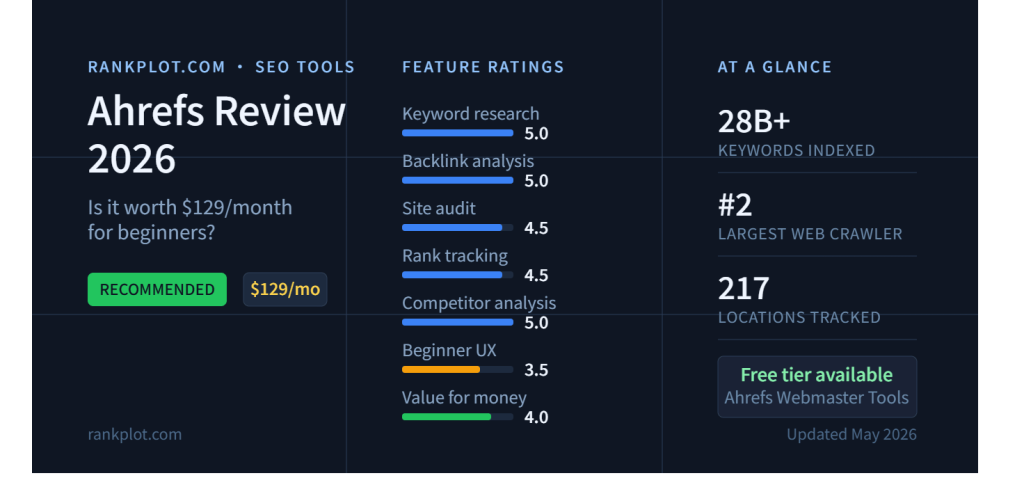
None of these plugins replaces keyword research, backlink analysis, or competitive market data. For those jobs, compare external suites in our Semrush review and Ahrefs review.
Package Footprint: What We Measured
On July 2, Rankplot downloaded each official latest-stable ZIP from WordPress.org and counted ZIP size, uncompressed size, files, and PHP files. The same method was used for all five packages.
| Plugin | ZIP size | Uncompressed size | Files | PHP files |
|---|---|---|---|---|
| Rank Math | 3,403,854 bytes | 11,579,510 bytes | 1,091 | 777 |
| Yoast SEO | 4,948,086 bytes | 15,920,693 bytes | 1,859 | 1,594 |
| AIOSEO | 5,846,808 bytes | 17,195,094 bytes | 1,182 | 513 |
| SEOPress | 2,679,919 bytes | 8,547,538 bytes | 1,337 | 1,119 |
| The SEO Framework | 750,016 bytes | 2,276,547 bytes | 333 | 262 |
Important limitation: this is distribution footprint, not a speed ranking. It does not measure frontend TTFB, PHP execution time, peak memory, database queries, editor load time, or tables and options created after activation. A valid performance winner would require the same WordPress install, server, theme, content, configuration, and repeated cold and warm runs.
Current WordPress.org Repository Snapshot
The official WordPress.org API was rechecked on August 24, 2026:
- Rank Math: version 1.0.276, 4+ million active installations, tested through WordPress 7.0.4.
- Yoast SEO: version 28.3, 10+ million active installations, tested through WordPress 7.1.
- AIOSEO: version 5.0.0.1, 3+ million active installations, tested through WordPress 7.0.4.
- SEOPress: version 10.1, 300,000+ active installations, tested through WordPress 7.0.4.
- The SEO Framework: version 5.1.4, 200,000+ active installations, tested through WordPress 6.9.7.
Active-install counts are rounded repository bands, not exact live totals. “Tested through” is a developer declaration, not an independent compatibility certification.
How to Switch SEO Plugins Safely
Changing SEO plugins does not have to hurt rankings, but an incomplete migration can change metadata and technical signals across thousands of URLs. Use staging for a large or valuable site.
- Create a full backup. Include the database and uploads, and confirm that you can restore it.
- Record the current output. Crawl a representative set of posts, pages, categories, products, and archives. Save titles, descriptions, canonicals, robots tags, schema, and sitemap URLs.
- Check the import path. Use the new plugin’s documented importer for the old plugin. Confirm support for custom titles, descriptions, redirects, and schema fields you use.
- Avoid two active output layers. Deactivate the old primary plugin before enabling equivalent output in the new one.
- Configure the new plugin. Review content types, archives, sitemap inclusion, noindex rules, schema defaults, and social metadata.
- Crawl again. Compare canonicals, robots directives, titles, schema, redirects, and XML sitemaps with the baseline.
- Monitor production. Watch Search Console coverage, sitemap processing, rich-result errors, server logs, and ranking changes after launch.
Do not delete the old plugin’s data until the migration has been validated and a rollback window has passed.
Which WordPress SEO Plugin Should You Choose?
- Choose Rank Math if free redirects, 404 monitoring, schema breadth, and modular controls are your priorities.
- Choose Yoast SEO if writers, editors, training, and consistent content review matter more than maximum free feature count.
- Choose SEOPress if you run client sites and need transparent multi-site pricing, white labeling, or a privacy-conscious workflow.
- Choose AIOSEO if you want a guided commercial suite and have mapped the required features to the correct paid tier and renewal budget.
- Choose The SEO Framework if you know what good metadata looks like and want quiet automation with fewer prompts.
Browse the WordPress plugins hub for related comparisons and implementation guides.
Final Verdict
Rank Math Free is the best WordPress SEO plugin for most cost-conscious users in 2026. Its free technical toolkit is difficult to match, and its modular structure lets an experienced owner disable what is unnecessary.
It is not the universal winner. Yoast is the better editorial system, SEOPress is the cleaner agency value proposition, AIOSEO is a broad guided business toolkit, and The SEO Framework is the strongest minimalist choice. Pick based on workflow, licensing, and the technical output you actually need—not the longest feature list or the highest optimization score.
Frequently Asked Questions
What is the best SEO plugin for WordPress in 2026?
Rank Math is the best overall SEO plugin for most cost-conscious WordPress users in 2026 because its free version includes broad schema controls, redirects, 404 monitoring, XML sitemaps, and modular settings. Yoast, SEOPress, AIOSEO, and The SEO Framework are better for specific editorial, agency, business, or minimalist workflows.
What is the best free WordPress SEO plugin?
Rank Math Free is the strongest all-around free option in this comparison. It covers more technical tasks before payment than most alternatives, although users who prefer a quieter interface may choose The SEO Framework and editorial teams may prefer Yoast SEO.
Can I use two WordPress SEO plugins at the same time?
You should not run two primary WordPress SEO plugins at the same time. They can generate duplicate canonicals, competing XML sitemaps, repeated schema, and conflicting robots directives. Use one primary SEO suite and add only narrowly scoped companion tools when necessary.
Will changing SEO plugins hurt rankings?
Changing SEO plugins should not hurt rankings when metadata and technical output are migrated correctly. Back up the site, import existing fields, configure the new plugin, and compare canonicals, robots tags, schema, redirects, and sitemaps before and after the switch.
Do WordPress SEO plugins improve rankings automatically?
No. An SEO plugin helps manage metadata, sitemaps, schema, canonicals, and editorial checks, but installing one does not automatically improve rankings. Results still depend on search intent, content quality, site architecture, links, crawlability, performance, and competition.
If you also need an external SEO platform, compare Semrush vs Ahrefs for 2026 before choosing your workflow.