
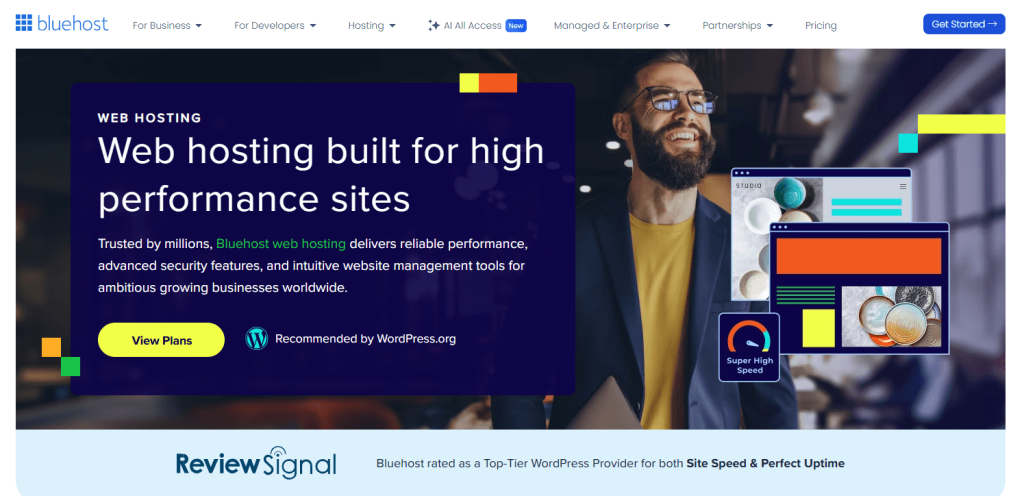
In this Bluehost review 2026, I don’t judge a hosting company by its homepage. Anyone can write “blazing fast” and “99.9% uptime” on a landing page. What I care about is what happens after the checkout confirmation hits your inbox — the setup experience, the support quality when something breaks at 11pm, and whether the pricing still makes sense when the renewal bill arrives.
Bluehost has been on WordPress.org’s recommended host list since 2005. That’s a long run. But the hosting market in 2026 looks nothing like 2005, and Hostinger and SiteGround have closed the gap considerably on both price and performance. So the real question isn’t whether Bluehost is “good” in the abstract — it’s whether it’s the right call for your specific situation.
My short answer: Bluehost is still a reasonable starting point for first-time WordPress users who want the fewest possible setup headaches. It is not the smartest choice for everyone. Here’s exactly why.
If you are still comparing providers, start with Rankplot’s best web hosting services hub to see how Bluehost stacks up against SiteGround, Hostinger, DreamHost, Hosting.com, and InterServer.
Quick Verdict: ★★★★☆ 3.8 / 5
Bluehost gets you from zero to live WordPress site faster than almost anything else at this price point. The bundled features — free domain, SSL, CDN, automated updates — genuinely reduce friction for beginners. Where it falls short: renewal pricing bites harder than the promo banner suggests, shared hosting speed is middle-of-the-pack, and some security features are upsells dressed up as essentials.
Best for: First-time WordPress users, bloggers, small business brochure sites
Skip if: You’re scaling fast, running WooCommerce seriously, or optimizing hard for Core Web Vitals
Starting price: $3.99/mo (promotional, 36-month term)
Recommended plan: Business ($6.99/mo intro)
Before choosing: compare Bluehost against the broader web hosting review list, especially if renewal pricing or Core Web Vitals matter more than beginner onboarding.
What Is Bluehost? — Bluehost Review 2026
Bluehost launched in 2003 and now operates under Newfold Digital (formerly Endurance International Group). It hosts over 2 million websites and has held a spot on WordPress.org’s recommended host list for over 20 years — longer than most of its current competitors have existed.
That WordPress.org recommendation is worth understanding properly. It doesn’t mean Bluehost is the fastest host, or the cheapest over a three-year horizon, or the best for advanced users. It means Bluehost met a baseline of compatibility and beginner-friendliness that WordPress.org considers acceptable. Useful signal, not the final word.
In 2026, Bluehost’s positioning is still “easiest path to a live WordPress site.” The core package — managed WordPress install, bundled domain, SSL, CDN, and AI site tools — is designed to eliminate the specific failure mode that kills most beginner projects: getting stuck before the site is even live. That’s a real problem worth solving, and Bluehost solves it reasonably well.
Plans & Pricing — The Full Picture
Read this section twice. The first bill is the marketing story. The second bill is the real business story.
Current Plan Lineup (2026)
| Plan | Intro Price | Websites | NVMe Storage | Est. Monthly Traffic | Phone Support | Staging |
|---|---|---|---|---|---|---|
| Starter | $3.99/mo | 10 | 10 GB | ~40K visits |  | |
| Business | $6.99/mo | 50 | 50 GB | ~200K visits |  | |
| eCommerce Essentials | $14.99/mo | 100 | 100 GB | ~400K visits | | |
All prices are promotional intro rates on a 36-month term. Standard renewal rates apply after the initial period.
The traffic estimates Bluehost publishes are planning guidance, not guarantees. Real capacity depends on your theme weight, plugin stack, image optimization, caching setup, and how much bot traffic your site attracts. A poorly optimized WordPress install can hit its ceiling at half those numbers.
 What the Pricing Actually Means Long-Term
This is the part Bluehost’s homepage doesn’t emphasize. Promotional pricing applies to the first billing term only. When renewal hits, rates jump significantly — and the gap between intro price and renewal price is wide enough to matter in a real budget.
A few other things worth knowing before you buy:
- Free domain caveat: The first-year domain is free on qualifying plans, but renews at ~$17.99/year afterward. Standard market rate, but worth factoring in.
- The 30-day guarantee has an asterisk: If you claimed a free domain, domain-related charges are non-refundable. “Risk-free trial” is technically accurate but not quite the full picture.
- SSL: Free Let’s Encrypt SSL on all plans, auto-renewing. No complaints here.
- Backups: Automated backups are included on Business and above. The Starter plan does not include them — that’s a real gap, not a minor footnote. One botched plugin update without a backup is a site-ending event.
- SiteLock: Bluehost pushes this malware scanning add-on hard during checkout. It’s optional. Free alternatives like Wordfence + UpdraftPlus cover the same ground without the monthly fee.
Bottom line: Bluehost is cheap for the first billing cycle. Across a three-year horizon, the Business plan at renewal rates competes less favorably against Hostinger’s equivalent tier. Total cost of ownership matters more than the intro banner.
Does Bluehost’s Price Increase After the First Year?
Yes — and the increase is substantial. Bluehost’s promotional rates apply to the first billing term only. Once that term ends, your plan renews at the standard rate, which is roughly 2–3x the price you originally paid. This is the single most important number to check before you sign up.
| Plan | Intro Price (36-mo term) | Standard Renewal Price | Price Increase |
|---|---|---|---|
| Starter | $3.99/mo | ~$10.99/mo | +175% |
| Business | $6.99/mo | ~$17.99/mo | +157% |
| eCommerce Essentials | $14.99/mo | ~$27.99/mo | +87% |
This isn’t unique to Bluehost — most shared hosts use the same intro-rate model. But Bluehost’s gap is on the wider end compared to direct competitors. Hostinger’s Business plan renews at ~$7.99/mo; SiteGround’s GrowBig at ~$14.99/mo. Over a three-year window, those differences compound into a real budget gap.
Three ways to manage renewal shock:
- Lock in the longest term upfront. The 36-month intro rate is the lowest available. The 12-month rate is higher even for the first billing cycle.
- Set a calendar reminder 60 days before renewal. You have leverage to negotiate or migrate before auto-renewal locks in the standard rate.
- Compare migration cost at year three. Moving to Hostinger at renewal is often cheaper than renewing Bluehost, even factoring in migration time. Most WordPress hosts offer free migration assistance.
The 30-day money-back window won’t help you here — by the time renewal hits, that window is long closed. Eyes open going in is the only real protection.
Performance & Reliability
Speed Benchmarks
| Metric | Bluehost Shared | Industry Average | Good Threshold |
|---|---|---|---|
| TTFB | ~450–650ms | ~400ms | <200ms |
| Fully Loaded Time | ~1.8–2.4s | ~1.5s | <2.0s |
| LCP | ~2.1–2.8s | ~2.0s | <2.5s |
| CLS | <0.1 | — | <0.1 |
The TTFB range of 450–650ms is Bluehost’s clearest performance weakness. Hostinger’s LiteSpeed infrastructure typically lands at 180–250ms TTFB on comparable plans. SiteGround’s SuperCacher stack is similarly faster. For a content blog, this gap is livable. For a site where Core Web Vitals scores feed into ad revenue or conversion rates, it’s worth paying attention to.
Bluehost does offer Cloudflare CDN integration at the account level, which helps with static asset delivery for visitors outside the server’s home region. Enabling it immediately after setup is one of the highest-leverage free optimizations available on the platform.
Uptime
Bluehost advertises a 99.99% uptime SLA on its 2026 hosting pages. Third-party monitoring data largely supports this — multiple independent studies show 12-month averages in the 99.96–99.98% range. Downtime events are infrequent and usually scheduled maintenance windows. Not a concern for most sites.
Performance Under Traffic Spikes
Shared hosting means shared resources — that’s not a Bluehost-specific problem, it’s structural. At 50–100 concurrent users, shared hosting response times degrade more noticeably than on managed or VPS environments. If you’re planning a product launch, running paid traffic campaigns, or expecting seasonal spikes, factor this in before committing to a shared plan.
WordPress-Specific Features
Installation
Bluehost installs WordPress automatically during account setup — there’s no separate installation step for most users. The onboarding wizard asks about your site type, walks through basic configuration, and hands you a live WordPress dashboard. First-time users who’ve previously spent 45 minutes fighting cPanel file permissions will genuinely appreciate this.
Staging Environment
Available on Business and eCommerce plans. One-click staging lets you clone your live site, make changes, and push them live without touching production. It’s not as granular as what WP Engine or Kinsta offers, but for a blogger or small business site it handles the real-world need: testing theme updates and plugin upgrades before they break something in front of visitors.
Automatic Updates
Minor WordPress core updates run automatically by default. You can configure major-release and plugin auto-updates from the dashboard. For users who don’t log into their site regularly, this meaningfully reduces the security risk of running outdated software.
WooCommerce
Bluehost officially supports WooCommerce and positions its eCommerce Essentials plan around it. For stores with modest catalogs and low concurrent transaction volume, shared hosting is viable. Once you’re past a few hundred products or running marketing campaigns that create traffic spikes, shared hosting starts showing its limits regardless of which host you’re on.
AI Site Builder
Bluehost bundles an AI site builder as part of its current WordPress offering. Useful for getting a template-level site live quickly. Not a substitute for a properly built theme if you care about site speed and SEO customization.
WordPress.com vs. WordPress.org — A Quick Clarification
Bluehost hosts WordPress.org (self-hosted) installations — you own the site, control the plugins, and aren’t subject to platform restrictions. This is completely different from WordPress.com, which is a hosted product with significant limitations on free and lower-tier plans. If you’re shopping for WordPress hosting, you want WordPress.org on a third-party host. The difference matters for SEO control, monetization, and plugin access.
Ease of Use
Bluehost runs a customized version of cPanel with a proprietary skin. Cleaner than raw cPanel for beginners, but it occasionally buries functions that experienced users expect to find quickly — PHP version switching, phpMyAdmin access, and advanced DNS settings aren’t always where you’d look first.
The onboarding sequence is the strongest part of the Bluehost experience. Account setup to live WordPress typically takes 10–15 minutes. The wizard handles site naming, starter theme selection, and base plugin installation in sequence. For someone launching their first site, this is genuinely less stressful than the alternatives.
One irritant: the dashboard surfaces upsell prompts for SiteLock and CodeGuard upgrades with enough urgency framing (“Your site may be at risk”) that new users sometimes think they’re required. They aren’t. Dismiss them and install Wordfence instead.
Security Features
| Feature | Included? | Notes |
|---|---|---|
| Free SSL (Let’s Encrypt) | All plans | Auto-renews, no action needed |
| Automated Backups | Business+ | Starter plan: manual only — real gap |
| Malware Scanning | Included | Basic scanning across plans |
| Domain Privacy (WHOIS) | Business+ | Starter: check current terms at checkout |
| SiteLock | Paid add-on | ~$2.99–$5.99/mo — optional, not required |
| Two-Factor Authentication | All plans | For account login |
| DDoS Protection | All plans | Network-level only |
| Spam Protection (SpamAssassin) | All plans | Via cPanel |
The security baseline on Business and above is adequate for most WordPress sites. The Starter plan’s lack of automated backups is the one thing I’d flag as a genuine risk rather than a feature gap. An unrecoverable site is a worst-case scenario that costs far more than an upgrade.
My recommendation: skip the SiteLock upsell. Install Wordfence (free) for malware scanning and UpdraftPlus (free) for backups if you’re on Starter. On Business and above, the built-in backup coverage handles the basics.
Customer Support
Bluehost offers 24/7 support across live chat, phone (Business and eCommerce plans only), support tickets, and a knowledge base. The phone support exclusion on the Starter plan is worth knowing before you buy — if you’re the kind of person who wants to talk to a human when something goes wrong, start with Business.
Live chat response times average 3–8 minutes during business hours. For standard issues — plugin conflicts, email setup, DNS problems — the support quality is competent. Where it gets patchy is complex server-level debugging; first-tier agents tend toward scripted responses, and getting to someone who can actually dig into the problem sometimes requires escalation.
The knowledge base is legitimately good. Well-organized, WordPress-focused, and regularly updated. For the category of problems most new site owners run into, the documentation usually gets there faster than a ticket does.
Pros and Cons
What Bluehost Gets Right
- Beginner onboarding is genuinely best-in-class — zero to live WordPress in under 15 minutes
- WordPress.org official recommendation — still a meaningful trust signal, even with caveats
- Solid bundled stack — free domain, SSL, CDN, automated updates, AI tools, malware scanning
- Strong uptime — 99.96–99.99% across independent monitoring studies
- Modern infrastructure baseline — NVMe storage, HTTP/3, object caching, PHP 8+ support
- Staging on Business+ — covers the real-world need for most small sites
- 30-day money-back guarantee — with caveats noted above
Where It Falls Short
- Renewal pricing — the gap between intro and renewal rates is wide; factor long-term cost before committing
- Speed is middle-of-the-pack — TTFB of 450–650ms loses to Hostinger’s LiteSpeed and SiteGround’s SuperCacher
- No automated backups on Starter — this is a meaningful omission, not a minor feature gap
- Upsell friction — SiteLock prompts are persistent and framed with false urgency
- Phone support gated to higher plans — a real limitation if Starter is your target tier
- “Unmetered” doesn’t mean limitless — usage policies and resource boundaries still apply
Who Should Use Bluehost?
| User Type | Fit | Reasoning |
|---|---|---|
| First-time WordPress user | Yes | Onboarding is designed specifically to reduce setup friction for beginners |
| Blogger or niche content site | Yes | Bundled features and moderate traffic capacity cover the basics |
| Small business brochure site | Yes | SSL, CDN, WordPress tooling, and easy management cover what’s needed |
| Renewal-sensitive buyer |  Caution Caution | Intro pricing doesn’t reflect long-term effective cost — do the 3-year math first |
| Growing WooCommerce store | Caution | Shared hosting limits become real constraints as transaction volume grows |
| Advanced developer | No | Bluehost’s value is in convenience, not flexibility — SiteGround or cloud hosting is a better fit |
| Performance-critical site | No | If TTFB and Core Web Vitals are a primary concern, Hostinger or SiteGround outperform at this price range |
Choosing between Bluehost and Hostinger? Read Hostinger vs Bluehost 2026 for the focused pricing, setup, support, and use-case comparison before you commit to a long intro term.
Alternatives Worth Considering
| Bluehost | SiteGround | Hostinger | A2 Hosting | |
|---|---|---|---|---|
| Entry Price | $3.99/mo | $2.99/mo | $2.99/mo | $2.99/mo |
| Speed (TTFB) | Medium | Fast | Very Fast | Fast |
| Uptime | ~99.97% | ~99.99% | ~99.9% | ~99.9% |
| Staging | Business+ | All plans | Business+ | Turbo+ |
| Renewal Value | Low | Medium | High | Medium |
| Best For | Beginners | Performance + support | Value + speed | Developers |
SiteGround is the natural upgrade path from Bluehost: faster servers, stronger support quality, and a more professional WordPress toolkit. It costs more, but the gap makes sense for revenue-generating sites.
Hostinger is the direct value competitor. It usually offers faster LiteSpeed performance and lower renewal pricing than Bluehost. The tradeoff is that Bluehost still feels easier for first-time WordPress users.
A2 Hosting targets users who want developer-level access — SSH, staging, and more server configuration options on lower-tier plans. If you’re comfortable in a terminal, A2 gives you more control at Bluehost-comparable pricing.
For a broader shortlist, use the Rankplot hosting hub. If your site is WordPress-first, also read Best WordPress Hosting in 2026.
Final Verdict — Is Bluehost Worth It in 2026?
Overall: 3.8 / 5
| Category | Score | Notes |
|---|---|---|
| Ease of Use | 4.7/5 | Best-in-class onboarding for beginners |
| Intro Pricing | 4.2/5 | Competitive entry point, especially on 36-month terms |
| Renewal Value | 2.6/5 | Wide gap between promo and renewal rates |
| Performance | 3.8/5 | Functional; NVMe and CDN help, but TTFB lags behind faster hosts |
| WordPress Fit | 4.4/5 | Strong — automatic updates, staging, AI tools, Yoast bundled |
| Security | 3.5/5 | Adequate on Business+; Starter backup gap is a real concern |
| Support | 4.0/5 | Solid for common issues; phone support only on Business+ |
Bluehost in 2026 is not the fastest host, not the cheapest over a three-year horizon, and not the right fit once a site starts scaling. But it’s also not trying to be those things. What it does — remove beginner confusion and get a WordPress site live with minimal friction — it does better than most.
The hosting market has matured since 2005. Hostinger has closed the price gap and opened a performance gap in its favor. SiteGround has raised the bar on what “good” shared WordPress hosting looks like. Bluehost’s renewal pricing is a legitimate long-term concern.
But for a first WordPress site where the priority is launching without getting stuck? Bluehost still earns its place on the shortlist. Just go in with eyes open about what happens at renewal.
My recommendation: Choose Business over Starter — automated backups and phone support aren’t optional extras, they’re the floor of a sensible setup. Lock in 36 months for the best intro rate. Enable Cloudflare CDN on day one. Install Wordfence instead of buying SiteLock.
Before choosing Bluehost, compare it directly against Hosting.com in Bluehost vs Hosting.com 2026: Pricing, Speed, Support Compared. For the full market view, use the Rankplot hosting hub.
FAQ
Is Bluehost good for WordPress beginners in 2026?
Yes. One-click WordPress install, bundled SSL, CDN, and free domain make it the easiest shared host to launch on. The main catch: renewal rates are significantly higher than the intro price. Best for first sites, not for scaling.
How much does Bluehost cost per month?
Starter starts at $3.99/mo, Business at $6.99/mo, eCommerce Essentials at $14.99/mo — all on 36-month promotional terms. Standard renewal rates are roughly 2–3x higher. The promo price is a first-term discount, not a permanent rate.
Does Bluehost’s price increase after renewal?
Yes. Starter renews at ~$10.99/mo (up from $3.99), Business at ~$17.99/mo (up from $6.99). The increase is 150–175% depending on the plan. Lock in the 36-month term for the lowest effective rate and set a renewal reminder.
Does Bluehost offer a free domain?
Yes, on qualifying plans for the first year. It renews at ~$17.99/year afterward. If you cancel within 30 days, domain charges are non-refundable — the money-back guarantee applies to hosting only.
Does Bluehost offer refunds?
Yes — 30-day money-back guarantee on hosting fees. If you registered a free domain, that cost is deducted from the refund. It’s not a full refund if a domain was claimed.
Is Bluehost better than GoDaddy for WordPress?
Yes. Bluehost’s WordPress onboarding is cleaner, its infrastructure is more purpose-built for WordPress, and bundled features like automatic updates and AI tools are better integrated. Both have aggressive renewal pricing, but Bluehost wins the WordPress comparison.
How many websites can I host on Bluehost?
Starter: up to 10 websites. Business: up to 50. eCommerce Essentials: up to 100. Practical limits depend more on resource usage and traffic than on the website count cap.
Is Bluehost storage and bandwidth really “unmetered”?
Not literally. Usage policies and resource boundaries still apply. Bluehost’s own traffic estimates (40K / 200K / 400K monthly visits by plan tier) are the more honest planning reference than the word “unmetered.”
For a price-first shortlist, see budget WordPress hosting alternatives, including first-term costs, renewal rates, backups, and the best option by use case.
For another beginner-focused option, compare pricing, renewals, backups, and support in the Bluehost vs DreamHost comparison.